Showing posts with label reviews. Show all posts

Wednesday, December 29, 2010

IEW Phonetic Zoo – Crew Review

image

We recently received a wonderful spelling program from IEW to try out in our home called the Phonetic Zoo. Now what is really interesting about this program is that it is not your standard grade-level spelling workbook approach. This program is designed for students in 3rd grade and up and consists of three levels. Each level has 47 lessons that are taught by blending sound and sight methods in a way that is fun and easy for your child to remember.

Phonetic Zoo uses the average child’s love of the animal kingdom to make lessons fun and also uses animals as “learning pegs” upon which they can mentally “hang” each new spelling rule they encounter. A complete level set contains:

  • Teacher’s Notes e-book (found on the DVD)
  • Spelling and the Brain DVD/DVD-ROM
  • Set of large flashcards
  • Set of small “Zoo” cards
  • One set of Audio CDs (Levels A, B or C)

With each new lesson taught, you introduce the new rule to your child using the teaching notes and the large flashcard that corresponds to that lesson. You then give your student the corresponding small zoo card to help them remember the rule of the lesson and it also has written on it a jingle or rhyme about the rule. IEW recommends that to use the program to the best of it’s potential, you have your student go through the lessons on cd using a pair of headphones, paper and pen (not pencil). The student then listens to the first track for the lesson they are studying and takes a test to see what words they can spell. They then listen to the second track for that lesson to make corrections and to reinforce the correct spellings of the words. The student repeats the same lesson everyday until they have gotten every word correct for 2 consecutive days. This ensures mastery and long-term retention of the material. The program also has periodic “personal spelling lessons” and each level has a final exam.

What I like about this program is that it is very teacher friendly and requires very little preparation ahead of time. The student moves through the bulk of the lessons independently. I also like that the student must really grasp that material before moving on to the next lesson.

I used this program with my son, Drew, who is 10, for a month and I actually saw quite a bit of improvement beyond what I have seen thus far using our current spelling program (or any of the others we have used in the past). However, after the initial newness of the program wore off, Drew became very sullen and begged to not have to continue doing the lessons. I think his unhappiness with the lessons came from his complete hate-hate relationship with anything that requires him to write things out repeatedly. The program requires that each word is written out twice daily during the testing and correction times. He thought it was very unfair of me to ask him to rewrite a word if he had already spelled it correctly in the first place!

I would highly recommend this program for an older child that struggles with retaining spelling rules. I loved the program and wish my son had liked it more, we probably would have continued using it!

Each level of the Phonetic Zoo can be purchased directly from IEW for $99 each and contains everything you need to use this program with several children. The fact that everything is reusable makes the program a great value! If you desired for each of your students to be able to keep their zoo cards, then you could easily purchase an additional set for a 2nd child for only $7.

image

DISCLAIMER: This item was provided free for review purposes through the TOS Homeschool Crew.  I received no other compensation, and this review is our honest opinion.  Click the TOS Homeschool Crew banner above to read more reviews on this and other products by other Crew members.

Wednesday, December 1, 2010

The Master Ruler (Crew Review)

image

We recently had to opportunity to review a few products from Master Innovations, thanks to the TOS Homeschool crew. Master Innovations is a company that specializes in making unique and easy-to-use tools to help children learn how to measure the world around them and understand tricky math concepts like time, fractions, mixed numbers, and much more.

We received two Master Rulers (one standard and one metric) and a workbook to try out. When I first learned about the review my first thought was, “Oh Goody, a ruler.” But after I visited the website and watched this video I was intrigued and couldn’t wait to get our products in the mail:

As you can see, the Master Ruler does more than just measure length. With the Master Ruler your students have a visual, tactile tool to use to help learn about fractions and their relationships. I tried out the products with two of my children. For my 8th grader, we used the ruler with the portions of the workbook covering fractions. With my 5th grader, we used the measuring portions of the workbook.

My 8th grader has long struggled with fractions and she found after getting the hang of HOW to use the ruler to help her, understanding fractions was much easier. All she had to do was use the ruler to find the mark that coincided with each fraction she was given and compare them. We both found this to be much easier even than using fraction “pie manipulatives” because it was quicker and there were no little pieces to keep track of.

For my 5th grader, this was his first time measuring anything more detailed than 1/4 inches. The different layers of the rulers for each unit of measurement made it easy to figure out how to measure things to even 1/16 of an inch! I am looking forward to using these rulers in the future with my 2nd grader also.

Along with the Master Ruler, Master Innovations has several other products available including the Master Clock, Master Fractions, and Master Angles. I have yet to try any of these other resources, but after reading the reviews of my fellow Crew members, I have added them to my homeschool “wish list”.

The Master Ruler (U.S.  or Metric) can be purchased for $9.95 each directly from Master Innovations. I think this is a very reasonable price, considering how many uses it has and how sturdy it is. The Student Workbook  is available for $15.95 also, or you can purchase The Master Ruler Starter Set which includes metric, U.S. and a teachers ruler plus the workbook  for $41.25. Make sure to check out the other products that are available, too!

image

image

DISCLAIMER: This item was provided free for review purposes through the TOS Homeschool Crew.  I received no other compensation, and this review is our honest opinion.  Click the TOS Homeschool Crew banner above to read more reviews on this and other products by other Crew members.

Monday, November 22, 2010

Bright Ideas Press-Illuminations Y2 (Crew Review)

image

When I was a student, History was not one of my favorite subjects. But since I began homeschooling my own children, it has quickly become one of my favorite things to learn all over again. Part of that new found love is a result from all of the awesome History programs out there, and Illuminations totally fits the bill!

Never heard of Illuminations? Well I am sure you have heard of the Mystery of History yes? Well, Illuminations is a brand new all-inclusive curriculum from Bright Ideas Press, the publishers of MOH. Illuminations is an all-inclusive, chronological study of history that is Biblically based and centered. It covers Bible, Literature, Language Arts, Geography, History, Science, Life Skills and Humanities all in one very thorough guide that will take you and your kids on an exciting trek through the history of mankind. It is available in 2 levels covering grades 3-8 and High School. There are also suggestions for gently covering the same material if you have younger kids that want to join in the study. For our review, we chose to cover Year 2, 3rd-8th grade.

image

For this review, we were unable to give it as thorough a tryout as I would have preferred to because we were unable to purchase any of the additional materials that are recommended throughout the program. Luckily, we do have experience with MOH and loved going through the book a few years ago. SO this review is based purely on my opinions from giving the materials a very thorough study. I hope I can do it justice. Please bear with me as there is a LOT to this program and I want to cover a little bit of all of the elements that come together to make this program so unique and fun.

History

As I mentioned before, Illuminations uses the correlating book of Mystery of History in each year plan. Bible and Geography is incorporated into the study as well. Each weekly plan grid includes everything you might want to do for a thorough and fun study of history including daily history reading, notebooking, bible reading, mapwork, timelines and more.

Literature

The way Illuminations incorporates the Literature element of the program is probably my favorite aspect of the curriculum. Literature readings are recommended (and scheduled for you) that coincide with what you are reading in MOH and Bible. But the best part is the awesome study guides that are included. There is a study guide for every book your child will read in the program, allowing you to make sure your child is getting the most rom every selection.

Language Arts

I you choose to follow the Language Arts plans, you will have to make some additional purchases. However if you decide not to, you can still make use of the copywork in the program. You do have a choice of several curriculums to use with Illuminations that are already scheduled in the plans for you. These are Grammar Punk, English From the Roots Up, The Natural Speller, Write Shop, and Foundations to Writing.

Science

Year 2 of Illuminations covers earth and space science using the popular program: Christian Kids Explore Earth & Space. Every single day of lessons and activities is scheduled for you and you will never have to wonder what to cover next. Science plans include reading, discussion, vocabulary, memory work, and hands-on projects.

There is so much more to this program than I can share with you in one blog post, but if what I have shared here with you sounds interesting, I encourage you to check the program out for yourself! It can be purchased as a digital download direct from Bright Ideas Press for only $82.50 for a semester and $165 for an entire year. There are some great sample files available for you to view also and you can find them here.

Make sure you check out the Crew blog post here where you can read reviews on different levels/years of Illuminations, and other great homeschool products by Bright Ideas Press!

image

DISCLAIMER: This item was provided free for review purposes through the TOS Homeschool Crew.  I received no other compensation, and this review is our honest opinion.  Click the TOS Homeschool Crew banner above to read more reviews on this and other products by other Crew members.

Friday, October 22, 2010

Can Babies REALLY Learn to Read? (Crew Review)

 image There are a lot of programs out there that claim that you can teach babies as young as six months old to read. This is something I admit I have been very skeptical about as I have seen the advertisements here and there in the recent past. Which is exactly why I was so excited to review a really neat product from Brill Kids called Little Reader. I was enthusiastic to see how the program worked and to see how my toddler would react to the lessons.

image

Little Reader is a computer based program that’s designed to teach your baby (or young child) to read using a multi-sensory, interactive methodology. The software breaks each short lesson down into 3 parts: Word Flash, Multisensory, and Picture Flash. The lessons are designed to be used twice daily and are very short. Each lesson groups the word list into categories, and your child will encounter the same words over and over again, allowing them plenty of exposure to new words. The lessons are fun, age-appropriate, and engaging. There are a plethora of options available allowing you to customize the lessons by choosing at what speed the screens changes, what pictures accompany the words on the screen, and you can even program your very own voice into the lessons! I only played with a few of these options during our review period, but there are plenty of ways for you to make the program work for you and your child.

We received the download version of this program which did not come with any of the optional additional materials (such as readers and flashcards). I used the software with my 2 year old son and within the first few sessions, he was hooked and even threw a fit wanting to continue doing more of the lessons after we were finished with that days activities. I don’t feel at this point that we have been using the product long enough to actually gauge whether or not he is learning to read with it, but there were several positive things I have noticed about using Little Reader with him. First of all, he was thrilled to have something of his very own to “do” on the computer (just like the big kids). Secondly, he really enjoyed the words and pictures and videos that played on the screen as we went through the lessons, and loved repeating the words that were shown to him. I never had to coerce him into doing the lessons at all. Every day I would ask him if he was ready to do his “baby reading” and he would immediately jump up and down and say, “Yes! Baby reading!”. Third, though I sat with him through every lesson, it was very much an option for me to set the lesson up and walk away if I needed to. That was definitely a very nice perk, especially when we have several times throughout our school days when he wants mommy to entertain him, but I have to help one of the older kids with schoolwork.

One of my favorite features of the software was that it gave me the option to print off picture flashcards for any lesson I wished. I did this for a few of the first lessons and again, Joey thoroughly enjoyed “playing” with the flashcards. Using the flashcards there are lots of fun ways for you and your child to interact with the words they are encountering in the daily lessons. This was definitely a plus in my opinion.

So can this program teach your child to read at an early age? I can’t really give you a yes or no answer to this question, HOWEVER, IF it is possible for a baby, a toddler, or even a preschooler to learn to read, I can see how this program would be an excellent tool to help you reach that goal. The developers of this software have really done their research and utilized it to give you a very thorough and fun way to expose your young child to the world of words. I do think that use of the Little Reader software (along with reading to your child often and as early as possible) is a great way to introduce your child to written language and can easily see how it would give your child a head start in that area. I have now taught 2 children to read (and am still teaching one struggling reader) and can see what a benefit Little Reader could be to every parent.

If you want to learn more about Little Reader, or any other Brill Kids early learning programs, you can visit their website here. The Little Reader program is available in several formats (including the download version) and pricing starts at $149. A free trial is also available here. If you are at all curious to learn more about the Little Reader program, the website is chock FULL of informative videos, screenshots, and information for you to browse through.

image

image DISCLAIMER: This item was provided free for review purposes through the TOS Homeschool Crew.  I received no other compensation, and this review is our honest opinion.  Click the TOS Homeschool Crew banner above to read more reviews on this and other products by other Crew members.

Monday, October 11, 2010

Read, Write, & Type is Full of Fun!

Photobucket

Read, Write, & Type is educational software that teaches reading, phonics, spelling and keyboarding all within one program. Recommended for children ages 6-9, the program teaches children to hear the individual sounds within a word and associate each of those sounds with a key on the keyboard. The program is multisensory and engages the child no matter what their learning style. The program tracks and assesses the child’s progress and suggests additional activities along the way. Children are given immediate feedback to incorrect answers which enable them to correct any missed problems along the way. You can even customize the program to work with your child’s learning level!

image

The program takes as little as 15 minutes a day and has 40 engaging lessons to keep your child interested. Read, Write, & Type is research-based and was designed by the same developers that made the popular Reader Rabbit software. Your child will even have the opportunity to write their own stories with the built in word-processing program. Though this may not sound like a very exciting feature, both of my boys really enjoyed writing and printing their own short stories with the program.

We have been using this software for several weeks now and both of my boys, one a struggling reader and the other a fluent reader, really enjoy using the program. I have been saving it for the end of our school days, as an incentive to complete the rest of their work in a timely manner.

The best way I can give you an idea of how well we liked the Read, Write, & Type program is to let my kids share with you what they do (and don’t) like about it. Drew is my fluent reader. He is 10 years old. This is what he had to say:

“It’s pretty cool. I think all kids 10 and under should definitely learn to type by using this program. What I like the best is the Messaging Tower. The Messaging Tower is where you write stories and send them to other people and people send you their stories back. The only thing I don’t like is that the lessons are too short for older kids. I think it would be better if they were around 30 minutes. I think Lefty and Rightway are pretty cool. They are the “hands” that teach you how to type. I liked this program better than some of the other ones I have done.”

Isaiah is my struggling reader and he just turned 9 last month. Here is what he has to say about Read, Write, & Type:

My favorite part of the program is when you have to fight Vexor. Vexor is a big radioactive virus that tries to steal the letters for himself. You beat him by playing and winning games. The characters in the program are pretty funny. I think it helped me to be a better reader. I think parts of it are too easy.”

Read, Write, & Type is available as an online program for $35. This license entitles you to one user log-in and is good for 5 years. The cost for additional log-ins for more children is another $20 for the second user and $15 for each user after that. There is also a cd-rom version of the program available for $79 and it includes additional materials to use with the software. You can get more information about the program by visiting the Talking Fingers website. An online demo of Read, Write, & Type is also available here.

We have thoroughly enjoyed using the software in our home and we would heartily recommend it to any family which has children that are learning to read or type!

image

image DISCLAIMER: This item was provided free for review purposes through the TOS Homeschool Crew.  I received no other compensation, and this review is our honest opinion.  Click the TOS Homeschool Crew banner above to read more reviews on this and other products by other Crew members.

Wednesday, October 6, 2010

LanSchool – The Ultimate Homeschool Tool!

image

Of all the reviews I have written for the crew so far, this has definitely been my absolute favorite! LanSchool is so much more than just a classroom management program, there are so many awesome things you can do with this software:

  • see the screens of ALL your student’s computers and track their activity
  • take over control of student computers with the “remote control” feature
  • administer tests and quizzes from the comfort of your own pc or laptop
  • share your screen with your students
  • chat with your students and send them messages
  • lock down the students computer by restricting their controls, audio, internet, or even log the student out of the system or power the computer down
  • track student keystrokes
  • receive alerts when the student types something from the “banned words” list
  • and much, MUCH more!

Ok, so how exactly does this software work? LanSchool uses your home network to tie all the computers using that network together. You can choose one computer as the teacher computer and set the others up as student computers. The software is super easy to install and has you up and running in just a few minutes.

When I first received this program for review, I didn’t tell my kids I had installed it on the laptop they use. As soon as the first one logged in to get online, I took over the controls (all while they were unaware of what was going on) and they thought something was going really wrong with the laptop. Hehe, I know, I’m such a mean momma :) We all got a good laugh out of it and it was a fun way to introduce the program to them and show them everything it could do.

Since installing the program and learning to use it, I have used it just about every day. My youngest uses the computer to do several learning programs online, so LanSchool makes it super easy for me to log him into his next assignment from my own laptop while I am sitting on the couch helping another child. It makes for a lot less up and down for me, which is a big plus when you are homeschooling 3 kids and chasing around a 2 year old! The one feature I keep forgetting about is the quizzing feature, but I do plan on utilizing that as soon as possible.

The one thing I was hesitant about regarding this software was the bandwith it would use up on our wireless home network while running. I was pleasantly surprised, however, to find out that I really don’t notice a difference at all in how quickly the computers connect to the internet and download files. All this with having the lowest speed cable internet our isp offers.

I just can’t think of anything I don’t like about this software. I never even knew anything like this was available at a decent price to home users and I am so glad I’m “in-the-know” about it now. Now that I have shared with you how much I LOVE this program, let me share some necessary details with you!

A subscription to Lanschool for home use costs $99. This price includes a perpetual license, and 3 years of updates and support.  There is also an option for homes that need up to 10 computers.  It costs $299 and includes the same features as the base priced program. You can learn a lot more about the software by visiting their website here. They also offer a guided tour of the software from this link. And if you are really interested and want to take it a step further, you can get a free trial of the program here.

image DISCLAIMER: This item was provided free for review purposes through the TOS Homeschool Crew.  I received no other compensation, and this review is our honest opinion.  Click the TOS Homeschool Crew banner above to read more reviews on this and other products by other Crew members.

Wednesday, September 29, 2010

New Monic Vocab Cartoons (Crew Review)

image Today I am bringing you a review of a product that is very unique compared to anything else I have come across for learning vocabulary. New Monic’s Vocabulary Cartoons promise that your child will “learn a word a minute and never forget it”, all while enjoying the process!

The Elementary version of this book (the one I was sent to review) is geared for 3rd through 6th grades and contains mnemonic cartoons to help your child retain the meanings of over 200 oft-used words (complete word list found here). The cartoons are fun and easy to remember, and will easily serve the purpose of painting a permanent picture in your child’s head of each word’s meaning. Take a look at this sample cartoon, and you will see what I mean…

imageYou can view more samples here

This book puts these words in a very easy to learn format that would be especially helpful for the visual learner. Each page shows the word, part of speech, definition, pronunciation, a clue word (that sounds similar to the new word), a fun picture, a sentence, and 3 examples using the word. There are also review pages sprinkled throughout the book (one every 10 words) with matching and fill-in-the-blank questions (the answer key can be found in the back of the book).

The book can be purchased directly from the publisher here for $12.95. They also offer vocabulary building titles geared for high-schoolers preparing to take the SAT.

I chose to let my 10yo son try this product out. He rather enjoyed the fun way the new words were presented, and seemed to retain them better then he typically does using our usual methods of learning new vocabulary. For the two weeks we used the book, it was the very first task he chose to complete every day, which had definitely never happened before with a vocabulary study. We did not make use of the review pages included in the book, but instead we did oral quizzing to see how many words he could remember. Sometimes I covered up everything on a page except the cartoon, other times I would give him the clue word and the meaning, and he would tell me the correct vocabulary word. He did well with this method and only had a few words that really gave him trouble. We plan on continuing to use the book throughout the school year, during weeks where we don’t have enough time for our usual vocabulary studies as a fun break from the ordinary.

Overall, we enjoyed trying out this fun and different book. I would highly recommend it to anyone who wants their elementary aged child to expand their vocabulary. I can also see how it would be a beneficial book to help prepare your children for standardized testing (if you are required to do so). It is definitely worth the price and easy to incorporate into your days as it only takes about 10 minutes max to learn a few new words!

image

DISCLAIMER: This item was provided free for review purposes through the TOS Homeschool Crew.  I received no other compensation, and this review is our honest opinion.  Click the TOS Homeschool Crew banner above to read more reviews on this and other products by other Crew members.

Thursday, September 23, 2010

Why I LOVE the Wimpy Kid…

image

About a month ago, we took a trip to our local Barnes & Noble, as I had a few books I had on my wishlist. Most of the time (if we have the money) I let the boys pick out an inexpensive book to take home. Drew was having trouble finding anything that was in the price range I had given him. This is the kid that has had MANY books purchased for him that he has never read past the first chapter. They were either a bit too challenging for him to read by himself, or the story just didn’t grip him enough to continue reading them.

So, as I typically do, I directed him to a specific area of the children’s section and began showing him books and reading the covers to him. Book after book, he responded with a hearty, “No, that doesn’t sound interesting,” or a “That book is too hard, “ reply. That’s when a book caught my eye. It was the first in the “Wimpy Kid” series by Jeff Kinney. I flipped through the pages, showing Drew how it was written like a diary and had lots of funny pictures on it’s pages. I managed to talk him into, so we purchased the book, along with a few others, and left to have dinner at a close by restaurant.

By the time we had been seated, both boys had their noses in their new books. Drew kept on giggling and rereading sections to us that amused him and showing us the pictures. By the time we got in the car to head back home, he had read over 30 pages!

The next day I woke up and came downstairs to find both boys on the couch, with the tv off, books in hand. I can’t even begin to tell you how much I enjoyed seeing that. By lunch time that day, Drew had finished the entire first book! I couldn’t believe it. Not only had we found a book he could and would read, but he devoured it. In less than 24 hours, he had torn through the entire 224 page chapter book.

He has since finished the first 3 books, each of them being read within a 24-48 hour period. This is the first time EVER he has stuck through a chapter book and read it entirely on his own. I will be purchasing the 4th book for him very soon. Then we have an entire month to wait for the 5th and newest book to be released.

I am really hopeful that reading this series will open up new worlds for him, and encourage him to read more books. I have been trying to find other books that are the same reading level that I think he might enjoy. SO far I have come up with the following:

  • The Indian in the Cupboard series
  • The Phantom Tollbooth

I am really struggling with adding anything else to this list. SO I am begging you, ask your 8-12 year old boys for suggestions. I want to keep him supplied with fresh reading material so that we can further develop this newfound love for reading.

If you have a young man who you just can’t get to read, you might wanna check out this series for them. It worked for us, and I am so thankful to Jeff Kinney for writing such an engaging, entertaining series for kids to read and enjoy.

Blessings!

image

Saturday, September 11, 2010

Looking For a Little Math Help? (Crew Review)

image

We recently were gifted with the opportunity to review a very unique, web-based math tutoring program through the TOS Schoolhouse Crew. Before I share our opinions of the program, let me tell you a little bit about America’s Math Teacher.

The program is essentially an online video tutor. America’s Math Teacher covers Basic Math, Advanced Math, Pre-Algebra and Algebra skills.  Each individual video tutoring session is linked to practice worksheets for your student to complete.  Basic Math is for 4-5th grades and Advanced Math is for 6-7th grades.  Tests are included for each level, making it easy for you to evaluate your student’s progress. Not sure where to begin? The program also has an initial evaluation to help place your student in the correct lessons.

The courses cover:

Basic Math Skills:
This course is for 4th and 5th graders. Topics include whole numbers, fractions, decimals, percents, integers, geometry, and much more.
Advanced Math Skills:
This course is for middle grade students. Students will master the critical skills necessary for success in pre-algebra. Topics include whole numbers, fractions, decimals, percents, integers, geometry, and much more.
Pre-Algebra:
This course is a must for students prior to taking Algebra I. Integers, exponents, order of operations, ratios & proportions number theory, linear equations, probability & statistics are just a few of the topics that students will learn and master.
Algebra I:
This course will guide students to master the “gateway” subject, algebra. Algebra opens the doors to more advanced classes in math, science, and technology. Students will learn and master all of the essential algebra skills. The lessons are carefully explained in clear, simple terms, so that all students will understand, learn, and master each and every topic.

America’s Math Teacher operates on a mastery-based approach. Your student will spend several consecutive lessons honing a specific skill area before moving on and learning a new concept.  The lessons are set-up in the following order: review of math facts, review of previously learned topics, learning a new skill, and then practicing that skill.

America's Math Teacher was founded by Rick Fisher. He is a math instructor in San Jose, California. Rick graduated from San Jose State University in 1971 with a bachelor’s degree in mathematics. Rick has devoted his time since to teaching fifth and sixth grade math students. Each year approximately one-half of his students bypass the seventh grade math program and move directly to an eighth grade algebra program.

The cost for this program is $195 for one year of online access for as many students as you need. There are also plenty of free materials for you to try out so you can get a feel for the program before purchasing.

Our family found it difficult to incorporate this program into our every-day routine, mainly because we already use a video-based math program daily. I found myself using it most often to help explain a concept that my kids just weren’t getting a good grasp of, and also to give them extra practice with those really important skills. America’s Math Teacher enabled me to give my students an alternative method for learning a particular skill that had previously eluded them via our regular program.

I feel this program would have been much more useful for us had we been using a more traditional, textbook-only program. The only aspect of the program that I would change would be to include courses for grades 1-3. There’s really not much else that this program is lacking. In light of the fact that the subscription cost covers more than one student in a household, I feel the pricing is right on, especially if you have more than one student in 4th grade or higher.

All-in-all I feel that America’s Math Teacher would be a great addition to any basic homeschool math curriculum!

Happy Homeschooling!

image

image 

DISCLAIMER: This item was provided free for review purposes through the TOS Homeschool Crew.  I received no other compensation, and this review is our honest opinion.  Click the TOS Homeschool Crew banner above to read more reviews on this and other products by other Crew members.

Friday, September 3, 2010

Time4Learning (Crew Review)

  image

Time4Learning is a web-based, interactive learning program for kids in PreK through 8th grades. It’s a fun, exciting way for kids to learn the essentials in math, language arts, science, and social studies. It can be used as a supplementary program for practice and review or as a full homeschool curriculum. Students progress through the program at their own pace, achieving mastery as they move through the subject matter. Parents can easily track their child’s progress online and even print out a copy for their records. Curious about what the program covers? Check it out:

  • The Time4Learning language arts program teaches and improves phonemic awareness (reading readiness), phonics, reading fluency, vocabulary and comprehension in the lower elementary level. In upper elementary and middle school, the language arts program emphasizes reading comprehension, fluency, vocabulary, grammar, pronunciation, punctuation, word roots, literary analysis, and critical thinking.
  • For students who have not yet learned to read, Time4Learning starts with phonemic awareness, advances to phonics and then on to solid reading comprehension skills.
  • The Time4Learning approach to math builds solid math skills at the child’s speed. The system blends conceptual explanations, learning activities and games, loads of practice for reinforcement, and ongoing assessment. As kids build proficiency in they become "good at math". Gifted math students have the ability to move forward at their own pace and advance grades by individual subjects.
  • Time4Learning includes a science and social studies program as a free bonus for grades one through seven. The programs cover life science, physical science, geology, astronomy, weather, life cycles, biology, sound, light, matter, and energy. The social studies program covers a wide range of topics including ancient history and civilizations, modern history, geography, civics instruction, and political science.

We received a 4 week trial of this program to review and when I found out I was ecstatic. I had been on the Time4Learning site several times and had considered trying it out, but never had made the leap. When I received the review, I decided to try this program out with just one on my children so I could really delve into what it had to offer. SO I created an account for Isaiah and away we went!

Time4Learning offers 4 grade levels to choose from. If the grade level is too low or too high for your child, you can change the access to at least 2 grade levels for each subject and have the flexibility for the student to work at their own level in each individual subject.

  1. Pre-K to 1st grade
  2. 2nd to 3rd grade
  3. 4th to 5th grade
  4. 6th, 7th, & 8th grade

I signed my son up for the 2nd grade levels, knowing that he would have access to the lower levels if he found any of the lessons too difficult. We mostly stuck to using the Math and Language Arts parts of the program, though he did try several of the Science modules as well.

The Math and Reading modules were a very welcome breath of fresh air from our normal way of covering these subjects. He loved the games and the interactive lessons, and did very well with the lessons. Most of all, he enjoyed the reward that came after completing the assigned lessons – playground time!

The playground is a place where your child can access child-safe games from all over the internet. You designate how long the child has to work on their lessons before they can access the playground. This is a great incentive for my kids because they absolutely LOVE playing online games!

The aspects I liked best about using Time4Learning to supplement our homeschool curriculum were:

  • easy to navigate
  • very independent
  • self-paced
  • ability to check up on progress of your child
  • thorough progress reports
  • fun and engaging!

The only thing I would change about the program would be the ability to possibly designate what lessons you want your child to do ahead of time and have only those lessons available on the student screen when they log in. Currently, you can use the search feature on the student screen to find a specific topic and navigate to that lesson. I think it would be awesome to be able to go into the parent screen and assign these ahead of time. Other than that, I had no complaints! We really enjoyed using Time4Learning.

Must know info:

  • Cost: $19.95 a month for the first child , $14.95 for each additional child, 14 day money back guarantee
  • Other programs offered: Spelling City and Time4Writing
  • Scope and Sequence can be viewed here
  • Completely online (no downloads of software required
  • Available lesson demos
  • You can browse the site and learn more here

Happy Homeschooling!

image

image

DISCLAIMER: This item was provided free for review purposes through the TOS Homeschool Crew.  I received no other compensation, and this review is our honest opinion.  Click the TOS Homeschool Crew banner above to read more reviews on this and other products by other Crew members.

Monday, August 30, 2010

We LOVE Peterson Directed Handwriting (Crew Review)


Having two young boys, I have tried out lots of different penmanship workbooks and methods. But it seems like no matter what curriculums I had tried, these boys of mine were content to continue on with their messy (often times illegible) penmanship.

One solution I found for my older son, was to start teaching him simplified cursive. It helped him to pay more attention to his strokes and enabled him to write for longer periods of time (and for me to still be able to read what he had written). My younger son, who is the only lefty in the family, is a completely different story. He forms all his letters incorrectly, writes so tiny you can barely read the words, and spacing? Forget about it!

But that was before we received several PDF Ebooks from Peterson Directed Handwriting to review. PDH uses a directed instruction approach that is largely based on movement. I wish I had known about this program when my boys were first starting to learn to write. What young child doesn’t enjoy movement? Anyhow, the program uses a cycle of development, practice, and application in order to engrain proper letter formation as a habit. The end result is legible handwriting with minimal effort from your child.

The first part of every lesson is to demonstrate the movements using word cues.The student then practices the movements using air writing, using the chants to develop a pattern of movement. The child is then ready to use the finger-tracing method to practice on paper. After the child is comfortable with these steps, it’s time for them to put what they’ve learned into practice by writing the letters as they say the movements.

I have noticed a HUGE difference when my son uses the word cues as he is practicing his writing. It helps him to focus on making the proper movements at the right times and to place his letters correctly on the guidelines.

I think it is pretty obvious to you at this point that we really enjoyed using this program, and it has made a huge difference in our homeschool. I just wish we had known about it sooner! Here’s the part where I share with you all the details of the program, and where you can get it for your kids:
  • Products Received for Review: PDH Print Steps 1, 2, & 3 (in PDF format)
  • Cost of product: Each individual “Step” is sold for $19.95
  • Format: Full color – Non-consumable PDF files
  • Skills covered: The program goes through 3 stages including print, slanted print, and cursive
  • Age range: K thru Adult
Other products available from Peterson Directed Handwriting are:
  • PDF by Hand E-workbooks (these utilize a graphic tablet and the computer)
  • Print workbooks
  • Position guides, pencils grips, triangular pencils
  • and much more!
I hope that if you have a child that is struggling with legible penmanship, you will check out this great program, it certainly worked for us!
Happy Homeschooling!
image

image
DISCLAIMER: This item was provided free for review purposes through the TOS Homeschool Crew.  I received no other compensation, and this review is our honest opinion.  Click the TOS Homeschool Crew banner above to read more reviews on this and other products by other Crew members.

Monday, July 19, 2010

Travel the World! (Crew Review)


That’s right, it’s already time for my first Crew Review! The very first product I was given to try out was this Travel the World planner module. This is a Schoolhouse Planner module, but you DO NOT need to be the owner of a planner to purchase or use it. This module is a reproducible, stand-alone unit study for all ages, meant to help your child discover the world around him. The pages are full-color and this complete study includes:
  • an introduction to the continents and the oceans of the world
  • reading globes and maps
  • latitude and longitude

  • basic geography terms and facts

  • lapbooking activities to reinforce what you learn
  • what the Bible says about God’s design for our earth
  • map activities
  • internet games
  • a detailed resource list with extra reading options and internet links
  • High School expansion suggestions

  • coloring and copywork pages
  • and much more!
The best part is that all the research and preparation has already been done for you! Simply choose which activities you would like to do, print, and you’re off! I think that was my favorite aspect of this product. I really love to throw in some fun, unexpected learning activities for my kids throughout the year, but I find the extra time it takes me to research and prepare these things ends up throwing us off track completely. We tested this product out during a normal school week, and I was pleased to see that it didn’t require a lot of extra work from me. Better yet, Isaiah really had a good time with the activities we chose to do and because he enjoyed them, he retained what he learned! (My oldest was away last week visiting grandparents.) I even printed off a few extra coloring pages and gave them to my 2yo so he could color with us!

Depending on if you choose to include extra reading and internet activities, you could easily spend 2-3 weeks doing this unit study. There are, however, enough included activities to last about a week, depending on how much you choose to cover. I would highly recommend this product to refresh basic geographical knowledge at the beginning of the year, to introduce basic geography to a young student, or even for preparing a high-school student for a project or presentation.

If you interested in learning more about or purchasing this digital product, it is available from The Old Schoolhouse Store here, for only $7.95. And while you are there be sure to check out the many other modules available for purchase. If you would like to read the reviews of other crew members that tried this product, simply click the banner below!


image
Photobucket
DISCLAIMER: This item was provided free for review purposes through the TOS Homeschool Crew.  We received no other compensation, and this review is our honest opinion.  Click the TOS Homeschool Crew banner above to read more reviews on this and other products by other Crew members.

Saturday, June 19, 2010

Why Classical Education?

Being a curriculum junkie and always looking for the next best thing means we have tried lots of different ways to homeschool. When we started out in our journey, I didn’t know anything was out there besides textbooks. Our first few years were filled with textbooks and lifepacks. But man were we bored! Over the years, being the researcher I am, I have learned that there are sooo many more options out there for homeschool families, and I have tried many of them,. But a few years ago, I heard about a book called “The Well-Trained Mind” and went to my local bookstore to purchase it.

image

TWTM (as it is affectionately called by die-hard fans) opened up a whole new world for me and my children. Through it’s pages, I learned how we can use non-fiction, living books instead of a boring, dry textbook to make learning more interesting and engaging. But more than that, I learned how to do this without neglecting important topics, eliminating the possibility of those much dreaded learning gaps. TWTM not only defines exactly what a classical education looks like, but lays out grade-by-grade, subject-by-subject HOW to cover all the needed material for a complete, rigorous home education!

By using the Trivium, I have gained more insights into how my children learn at different stages of their development and how to encourage and challenge them each and every day. I have learned how to eliminate the needless busywork and incorporate methods that make every teaching moment valuable. I have discovered ways that turn dry facts into adventures my boys can’t wait to begin! Not to mention we have added some wonderful projects and books to our repertoire.

I find it important to note at this time that I do NOT follow the recommendations in TWTM word for word. I do not feel the need to do everything suggested, rather, I use it as a resource to guide my curriculum choices and chosen topics of study. For instance, I combine the suggestions in TWTM with Tapestry of Grace’s curriculum. Especially in the grammar stage, TOG is a huge help by laying everything out for you. I find as my kids get older, I take more from TWTM’s suggestions and mesh it together with what we are doing in TOG. So far, this is working out beautifully and we are really enjoying all of the books, projects, and discussions that have resulted.

In certain subject areas, I have strayed at times very far away from the suggestions in TWTM. Some of these ventures have worked out just fine. But in other areas, I continually find myself cracking open the book again to re-evaluate, and many times going back alongside it’s suggestions and methods.

Many people, especially new homeschoolers, think a classical education requires a parent to have been college educated, or at the very least to have read many of the books from TWTM’s Great Books List. And while it is true that having experienced some of these great works yourself will give you an advantage in discussing them with your own child, there are many resources out there that will help you do this without having read the entire work on your own (TWTM talks about this very topic in-depth). The truth of the matter is simply that any parent who is willing to do their homework can give their child the awesome gift of a classical education at home!

I am aware that there are many books out there that claim to provide the same guidance for parents, and I have not read them. Nevertheless, TWTM so thoroughly covers every aspect of a classical home education that I have never felt the need to read these other books. It just works for us! In addition to the wealth of information and guidance found within the pages of TWTM, there is a blog (written by Susan Wise Bauer herself) and a forum available for those who desire a bit more. You can also find a wealth of information by visiting Peace Hill Press’s YouTube channel and watching some of the very informative videos listed there.

Please do not misunderstand, I am not writing this in order to try and convince you that a classical education is superior or even that you should run out and buy this book. My purpose is merely to introduce the concept and encourage those considering homeschooling classically that YOU CAN DO IT! And whether you find your confidence to do so through reading TWTM or another source, you will be so glad you took the time to do so!

Blessings,

image

Saturday, May 22, 2010

Small Talk Six – 6 Most Useful Sites – 5.22.2010


imageIt’s Saturday again and that means it’s time for another six item list to be shared! Today’s topic: My 6 Most Useful Websites!

Let me start by saying, what?! only SIX sites?! This is gonna be tough, but I will do my best.

1. Most Useful Social Site

Facebook wins this category hands down. Yes, I have had a MySpace in the past, and I just don’t like it. Facebook has better apps and games and is wayyy more user friendly. Even my grandma has a Facebook!

2. Most Useful Homemaking Site

I LOVE A Christian Home!! There is no end to the information and encouragement you will find on this site, from homemaking and cooking, to large family logistics and parenting, you can find it all here!

3 thru 4. Most Useful Homeschooling Sites

OK, this is a really hard one because I have several places on the web I read faithfully. BUT as far as variety of content and writers, my first choice just HAS the be Heart of the Matter online magazine. Not to mention the awesome conferences and contests you can find going on all year long. I have had the privilege of working with the HOTM team for the past year and they are a great bunch of ladies!

I can also frequently be found browsing through the reviews on the TOS Homeschool Crew’s Blog. being a confessed curriculum junkie AND a highly analytical, researching kind of gal, curriculum review sites are one of my best friends (along with catalogs, which I will get to in a moment) and I love the opportunities to hear about new products from people that have actually used them in their homeschools.

5. Most Useful Shopping Site

One of my favorite activities as a kid was browsing through the newest JC Penny toy catalog, marker in hand, circling and initialing all those wonderful things I just couldn’t live without. Now that I’m all grown up (snicker) I use Amazon.com to look up information on items I am considering purchasing and sometimes (if I’m lucky) I even get to look through a few pages of books I am considering as additions to our home library. But my favorite feature of Amazon has to be the wishlist feature! And the best part? They even have a Firefox add-on that I can use to add any item on any site to my wishlist! What could be better? I also love that I can get unlimited FREE second-day shipping for one low price per year.

6. Most Useful Recipe/Meal Planning Site

This is a recent find for me, but it takes al the guess work out of grocery shopping and meal planning on a budget. Menus4Moms is an awesome resource for busy moms, frugal moms, health conscious moms alike! There are several different subscription options, and all of them are very reasonably priced. Each plan comes with a weekly e-mailed menu plan, complete with detailed recipes and a grocery list that even has your estimated cost for the week. Of course, I am learning how to maximize my savings by perusing sale ads and using coupons to get rock-bottom prices.

I would love to share a list of couponing resources that I use, but there would be wayyy more than this six item list can hold, so I will save that for another post!

What sites on the web make your life easier?

Blessings,

image

Friday, May 21, 2010

We interrupt our regularly scheduled programming…

for a super exciting announcement! I received the e-mail today letting me know that I have been chosen to be a member of the

image 2010-2011 TOS Schoolhouse Crew!!!image

I can’t wait to meet the other crew members and find out what awesome products we will be reviewing this year. I am so glad I decided to go ahead and keep our Fridays light, as we will need those days to try out all the new products TOS sends our way. Needless to say, you are going to be seeing a lot more reviews here in the near future!!

I will keep you updated as I learn more about this exciting new opportunity we have been chosen for!

Blessings,

image

Saturday, March 13, 2010

Homeschool Printing Expenses (and how to save money)

image

I am all about getting the most out of my money however I can and as a homeschooler, expenses can add up quickly. I have always made use of the internet for various games and printables. Up until the last year or so, I have always had Lexmark printers. They are inexpensive and easy to use. But I have found as my kids get older and our needs have changed, I have had more and more ink expenses. About 6 months ago, i finally got fed up with my Lexmark all-in-one, and decided to purchase a new printer from a different manufacturer.

image

I decided to go with an HP all-in-one. I was happy with my purchase for about a month til it was time to refill my ink. I found that no one refilled the cartridges so I tried to figure out how to refill them myself. I didn’t have very good luck with the process. That was ok, I figured the cartridges were cheaper than the Lexmark cartridges had been, so no big. But I soon realized I was going through these cartridges even quicker than I had with my Lexmarks. So, I decided I needed to do more research and buy a different printer.

In this process, I discovered Continuous Ink Systems, refillable cartridges and auto reset chips. Wow, how did I not stumble across all of this information sooner?

I settled on an Epson model that happened to be on sale at a local office supply. I paid a bit more for it than I was used to, but I figured since I had previously had so much trouble with my cheap printers, maybe a little more money would give me a printer that would last longer and perform better. The best part of this purchase is that it was a wifi printer!

image

My next step was to buy an ink refill system. I originally was looking to purchase an CIS, but decided that after having just purchased a printer, I need to keep my costs down (so as not to cause my husband to have a cow). So I instead decided to purchase a refillable cartridge kit.

image

I paid about $50 for my kit and it has already paid for itself! My kit came with 4 full, refillable cartridges (designed for use with my printer model), and 4 large bottles of ink to refill them with. I would have paid about the same to purchase 1 set of OEM cartridges from Epson.

There is enough ink in the cartridges and the bottles to equal about 12 regular cartridges of each color (and possibly more). When my printer registers the cartridges as empty, I simply take out the “empty” cartridge (which is actually about 3/4 full still), place it back into the printer, and reinstall it. Then it shows up as full and I’m off and printing again! AWESOME!!

This is the best way I have found in my 6 years of homeschooling to have worry-free printing. I can now print whatever I want without worrying if it’s going to use up all of my ink, and that my friends, is an awesome power for a homeschooling momma to have (evil grin).

It is very easy to find these kits, though the prices vary greatly depending on your printer/cartridge model and the place you purchase it from. You can find lots of them on Amazon, or you can just do a Google search on “continuous ink systems” or “refillable cartridges” and get lots of results. I happened to purchase mine from SuperToBuy, but if I end up repurchasing any in the future I will order them from this Amazon seller. They include more ink with your kit AND they offer a one year replacement guarantee on their cartridges.

All in all, I have been extremely satisfied with my purchase. If you do a lot of printing, like me, it is definitely worth the initial investment to purchase one of these systems or kits.

Happy Printing!

: ) Cassie

Wednesday, March 10, 2010

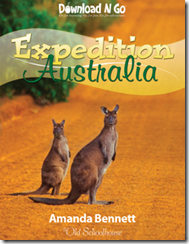
Review: TOS Download N Go – Expedition Australia

image

I have always dreamed of visiting Australia (along with lots of other places), so when I received a free copy of Download N Go: Expedition Australia to review, I was ecstatic! When I learned it was co-authored by Amanda Bennett (the unofficial homeschool unit study guru) I just knew we were in for a treat. But before I go any further, let me tell you exactly what a Download N Go unit is…

“Download N Go™ is a brand new, innovative, E-Book series brought to you by Amanda Bennett and The Old Schoolhouse®.

Units are theme based and full of exciting discoveries and motivation to develop lifelong learners.

This series takes two outstanding homeschooling resources (Amanda Bennett and TOS), along with the best learning components, and creates a superior product . . . one that blends the unit study concept and lapbooking fun into one great adventure.

Units are reusable year after year—nothing is consumed. There are no expensive resources required! Each unit includes a great list of books that you can use to enrich your study, but they are not required.”

-Product Description from The Old Schoolhouse

Unit Study? Lapbooking? Sign me up! This E-book resource is packed with fun, full-color activities and includes lots of internet links, so I highly recommend using this resource on your computer for easy, one-click access to the web resources. This material is recommended for kids through 4th grade, but it could easily be adapted for older children, too. If you are wondering what this resource looks like, you can download a sample of it here.

Before digging too deep into this product I just have to share MY favorite aspect of this (and the other Download N Go units) resource. I love unit studies, but many times when you purchase a prepared study, you have to go through and break everything down into practical daily lessons on your own. Not so with this study! This unit is designed to be covered in a week, and it lays out each day’s objectives FOR YOU! No guesswork here! Every day you will cover several different subject areas such as geography, wildlife, history and culture. And every second of this study is packed with interesting information and fun, creative activities.

What exactly will you glean from this study? Here’s a brief overview:

    • Day 1: Where on Earth Is Australia?
    • Day 2: Some of the Special Places in Australia
    • Day 3: A Bit of Australian History
    • Day 4: Cool Things to Know About Australia
    • Day 5: Fun and Games in Australia

There is also a great resource list (divided into daily sections) which you can use to find books for further study on whatever topics interest your kids the most! The really neat thing about this unit study, is that when you are finished with all of the included activities, your students will end up with a themed notebook AND a lapbook! Or you could combine it all into one interactive notebook! As a special reward for completing their study, your students will receive a printed Expedition Australia Certificate of Exploration. How cool is that?

I have already shared with you what MY favorite things are about this resource, but what did my kids think? I’ll start off by telling you we all really enjoyed this study. It was a fun way to take a step back from our studies of the ancient world and take a look at a culture we really knew very little about. Drew, my 10 year old really enjoyed going through each day’s materials and checking out the internet links, especially the videos! Both of my boys enjoyed drawing a picture of their own Great Barrier Reef on a full color background and learning about the koala. Isaiah, my 8 year old liked learning about the different sayings and expressions used in Australia. It is really tough to pare it down to just a few things we liked, we really enjoyed all of it!

The only drawback I can think of to this product is that you may use a lot of color ink in printing off the reproducible student pages, but you could always print them off in grayscale using draft mode to save ink. We were lucky to have plenty of ink to print everything off in full color which made the pages more visually appealing and seem less like “homework”.

If you are interested in purchasing this resource for use in your own homeschool, it’s a steal at only $7.95 and you can purchase it from The Old Schoolhouse Store here. You can find the entire series of Download N Go E-books here and you can also purchase them for $7.95 each. TOS also has several different packages available if you are looking to purchase several units at once.

I am hoping to utilize more of the units in the future. We had a great time doing the study and the format of the lessons were right up our alley.

*I received this product for free for reviewing purposes and I did not receive any compensation for this review. The opinions therein are my own.

Blessings,

: ) Cassie

Related Posts Plugin for WordPress, Blogger...